Home
mmd_uuunyaa_tools is a blender addon for adjust scenes, models and materials in concert with powroupi/blender_mmd_tools.
mmd_uuunyaa_toolsはpowroupi/blender_mmd_toolsと連携してシーン、モデル、マテリアルを調整するためのBlenderアドオンです。
Download mmd_uuunyaa_tools from the github release page
Only one version of the addon should be installed at a time. If you are updating the addon to a new version, the previous version must be first uninstalled.
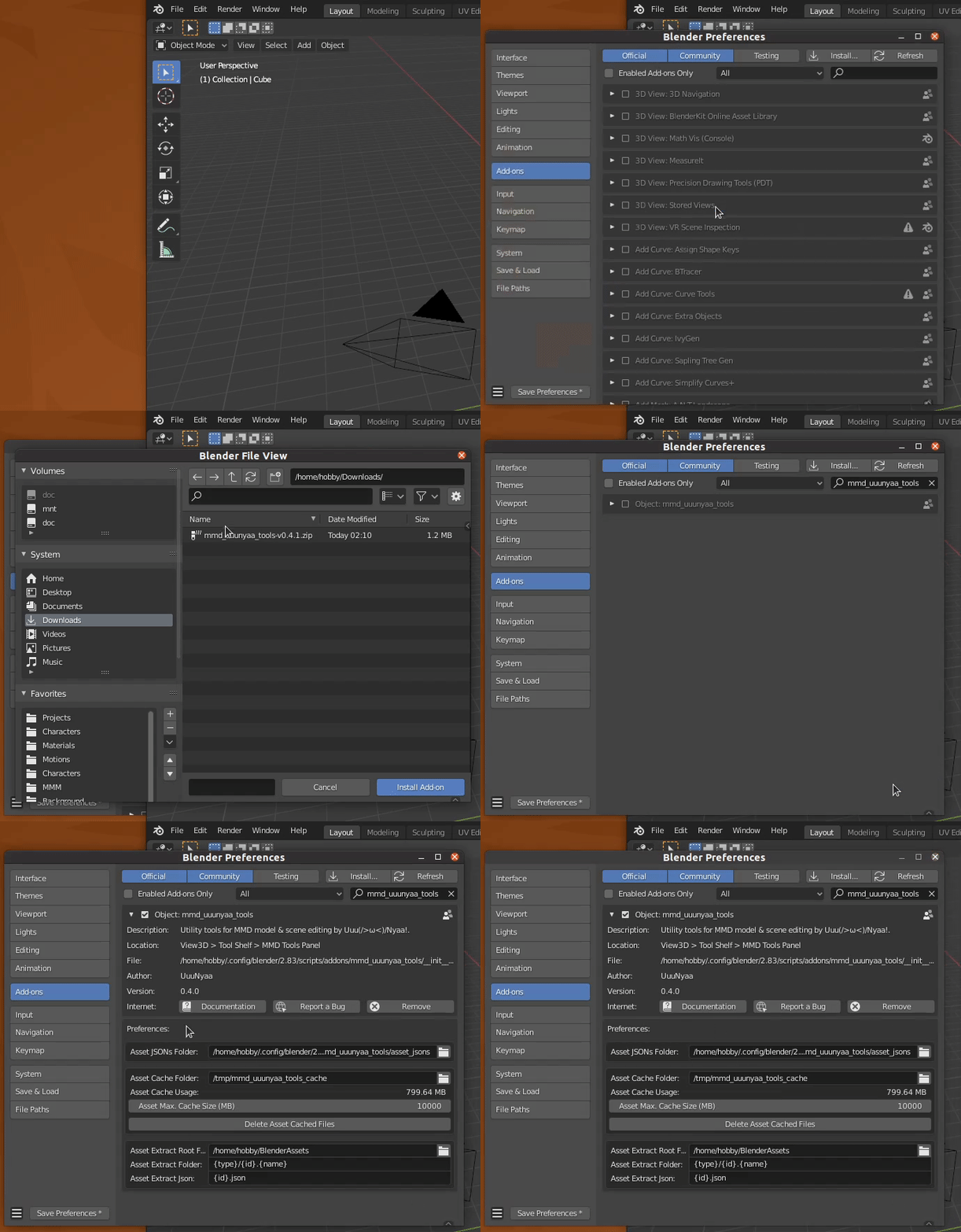
The easiest way to install the mmd_uuunyaa_tools is to do so through directly through Blender:
- Open the Blender User Preferences menu and select the Add-ons tab (Edit > Preferences... > Add-ons)
- Click the Install... button at the top of the Add-ons menu. This will open a file menu where you can select the mmd_uuunyaa_tools addon .zip file.
- After installing the addon .zip file, Blender will filter the addons list to only show the mmd_uuunyaa_tools addon. Click the checkbox next to the title to enable the addon.
- Restart Blender. A Blender restart is maybe required to complete the installation.
- Blender 2.83 or later
- blender_mmd_tools v0.7.0 or later
If you want to extract 7-zip archives in Asset search feature.
| OS | Installation instructions |
|---|---|
| Windows | https://www.newsgroupreviews.com/7-zip-installation.html |
| Linux | Run command sudo {apt,yum,dnf,snap} install p7zip-full
|
If you want to extract RAR archives in Asset search feature.
| OS | Installation instructions |
|---|---|
| Windows |
https://www.newsgroupreviews.com/winrar-installation.html Then add to the PATH |
| Linux | Run command sudo {apt,yum,dnf,snap} install unrar
|
 |
|---|
| How to use MMD UuuNyaa Tools / MMD UuuNyaa Toolsの使い方 |
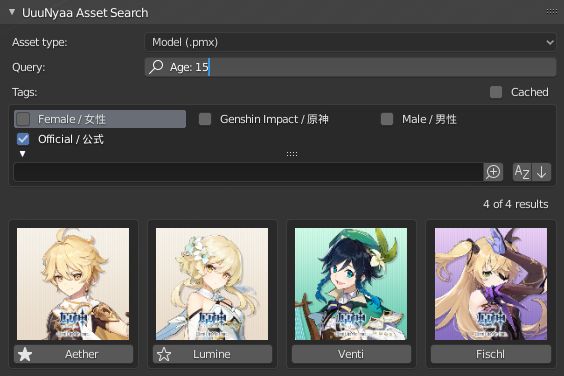
- Goto 3D Viewport > Sidebar > Assets > UuuNyaa Asset Search Panel
- Use Query and Results
| Icon | State | Description | Storage path in Preferences |
|---|---|---|---|
| ⏳ | Downloading | The asset is downloading | Asset Cache Folder |
| ☆ | Cached | The asset has been downloaded and is being cached | Asset Cache Folder |
| ★ | Extracted | The asset is unpacked (eg. unzip, unrar). | Asset Extract Folder |
Click here for the list of available assets.
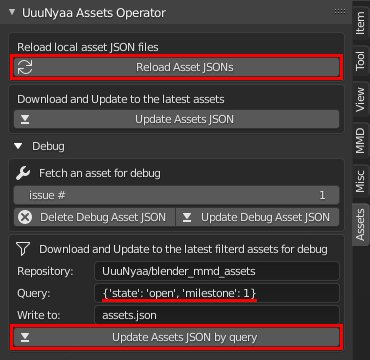
- Goto 3D Viewport > Sidebar > Assets > UuuNyaa Assets Operator Panel
- Open ▼ Debug pane
- Edit Query to
{'state': 'open', 'milestone': 1} - Press Update Assets JSON by query
- Press Reload Asset JSONs
- Goto 3D Viewport > Sidebar > MMD > UuuNyaa Operator Panel
- Press Setup Render Engine for Eevee
- Goto Properties > World Properties > MMD UuuNyaa Lighting Panel
- Choose lighting thumbnail icon
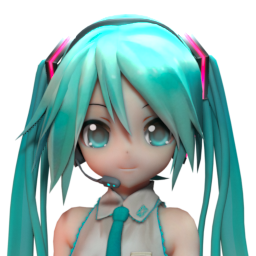 |
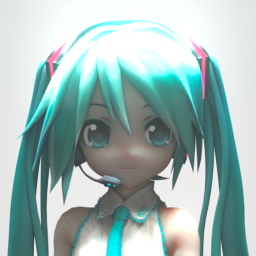 |
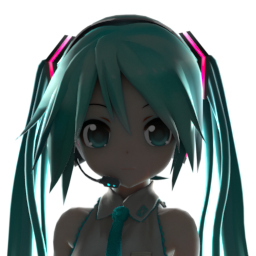 |
|---|---|---|
| Left Accent | God Ray | Backlight |
- Goto Properties > Material Properties > MMD UuuNyaa Material Panel
- Choose material thumbnail icon
- Select target mesh
- Goto 3D Viewport > Sidebar > MMD > UuuNyaa Operator Panel
- Press Convert Shaders for Eevee
 |
 |
|---|---|
| Reset | Transparent |
 |
 |
 |
 |
|---|---|---|---|
| Eye Highlight | Eye White | Eye Iris | Eye Lash |
 |
|---|
| Hair Matte |
 |
 |
|---|---|
| Skin Mucosa | Skin Bump |
 |
 |
 |
 |
|---|---|---|---|
| Fabric Bump | Fabric Wave | Fabric Knit | Fabric Leather |
 |
 |
|---|---|
| Plastic Gloss | Plastic Emission |
 |
 |
|---|---|
| Liquid Water | Liquid Cloudy |
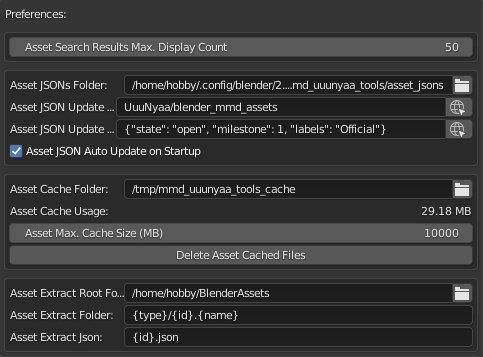
- Open the Blender User Preferences menu and select the Add-ons tab (Edit > Preferences... > Add-ons)
- Type "mmd" to 🔍 search box at the top of the Add-ons menu.
- Open the Object: mmd_uuunyaa_tools
mmd_uuunyaa_tools needs your contribution!
- Feature/Asset requests (material, lighting, etc)
- Document writing
- Asset creation (lighting, materials, accessories, etc)
- Asset maintenance
- Software development
If you are interested in any of the above, please contact me via the issues.
- Lighting thumbnail images depict the character "Hatsune Miku" of Crypton Future Media, Inc. under the Piapro Character License.
- UuuNyaa Asset Search Panel image depict the character "Aether", "Lumine", "Venti", "Fischl" of miHoYo Limited.