Geo Activity Playground is a software to view recorded outdoor activities and derive various insights from your data collection. All data is kept on your machine, hence it is suitable for people who have an affinity for data analysis and privacy.
It caters to serve a similar purpose as other systems like Strava, Statshunters or VeloViewer, though the focus here is on self-hosting and using local files.
One can use this program with a local collection of activity files (GPX, FIT, TCX, KML, CSV) or via the Strava API. The latter is appealing to people who want to keep their data with Strava primarily. In case that one wants to move, this might provide a noncommittal way of testing out this project.
The main user interface is web-based, you can run this on your Linux, Mac or Windows laptop. If you want, it can also run on a home server or your personal cloud instance.
Please see the hosted documentation for more details, setup instructions and a general tour of the available features.
- 📍 Activity Import
Use your GPX, FIT, TCX, KML, or CSV files. Heart rate, cadence, speed and elevation are parsed automatically. - ✂️ Activity Trimming
Crop the start or end of a track to remove warm-up noise or accidental recording. - 🏷️ Tags & Search
Tag activities and search by name, kind, equipment, date, distance, elevation, or tag — with a map view of results. - 📸 Photo Integration
Upload geotagged photos and they are matched to the nearest activity and shown on the map. - 🔁 Strava API Integration (Optional)
Sync activities directly from your Strava account. No data is uploaded — it’s all stored locally.
- 📊 Summary Dashboard
Totals and trends for distance, elevation, time, and steps — broken down by activity kind. - 🏆 Hall of Fame
Your personal records: longest ride, fastest run, biggest climbing day, and more. - 📈 Eddington Number
Track your Eddington number for both distance and elevation gain. - 🫧 Bubble Charts
Scatter every activity as a bubble by distance vs. elevation gain, with per-day aggregates too. - 🎨 Custom Plot Builder
Build your own Vega-Lite charts from activity data and share them as JSON snippets. - 🗓️ Year & Month Wrap
Strava-style annual and monthly summaries with progress highlights and new tile counts.
- 🗺️ Interactive Maps & Heatmaps
Visualize all routes on a map and create heatmaps of your most frequent paths. - 🧩 Explorer Tiles
Break the world into tiles and see which ones you’ve visited. Track your largest connected cluster, bookmark clusters across locations, and use the Square Planner to plan which tiles to ride next. - 📹 Explorer Video Export
Generate a time-lapse MP4 of how your explored tile area grew over time. - 🛣️ Segments
Define route segments via a routing service. The app automatically matches your activities to segments and tracks your times — including forward vs. backward direction comparison.
- 🛡️ Privacy Zones
Blur sensitive areas like your home or workplace on all maps and heatmaps. - 🌍 Internationalization
Interface available in English, German, and Dutch. - ⚙️ Equipment Tracking
Manage your gear, log offset distances (for bikes with prior mileage), and see per-equipment stats.
Here are a few examples of what Geo Activity Playground looks like in action:
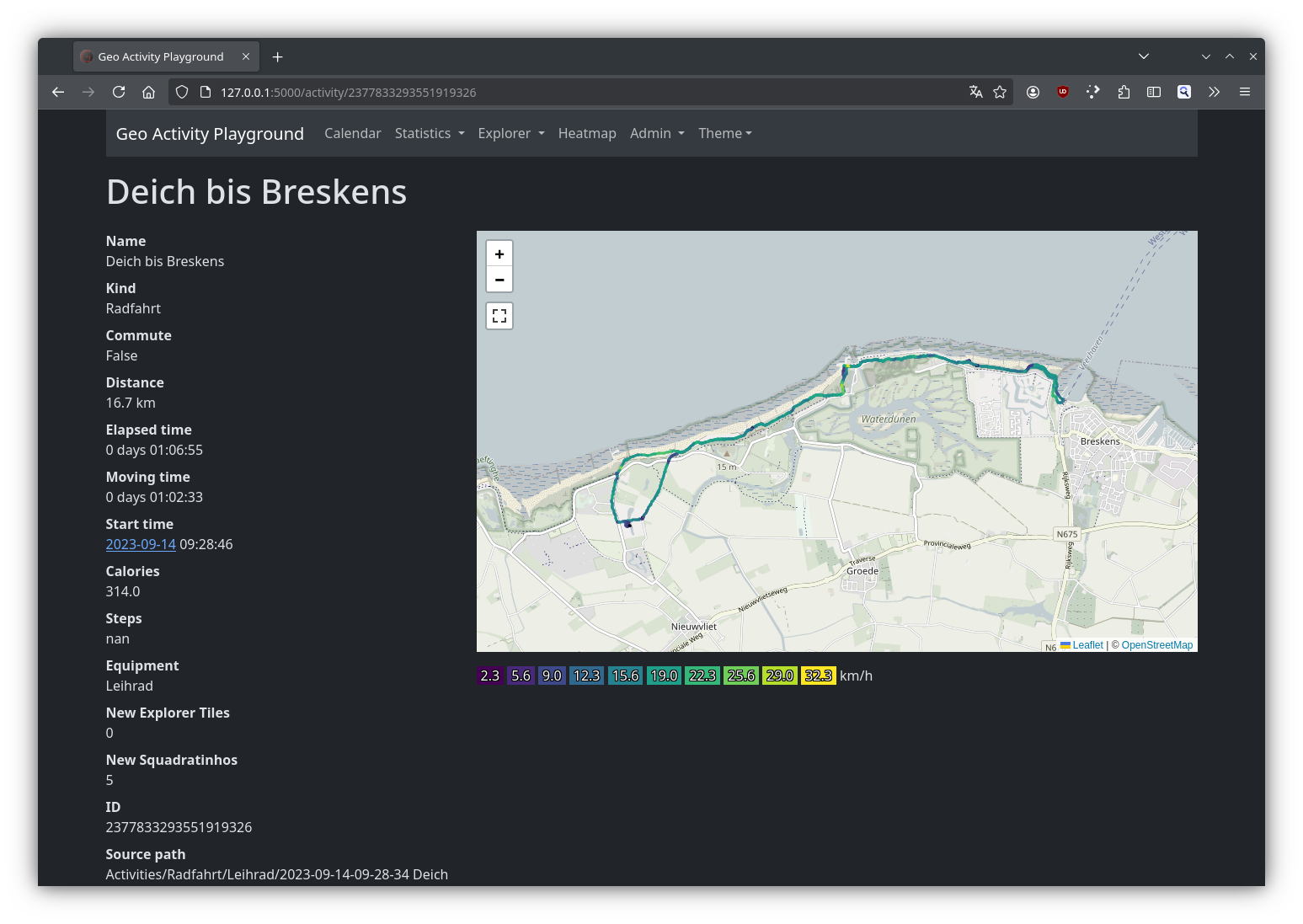
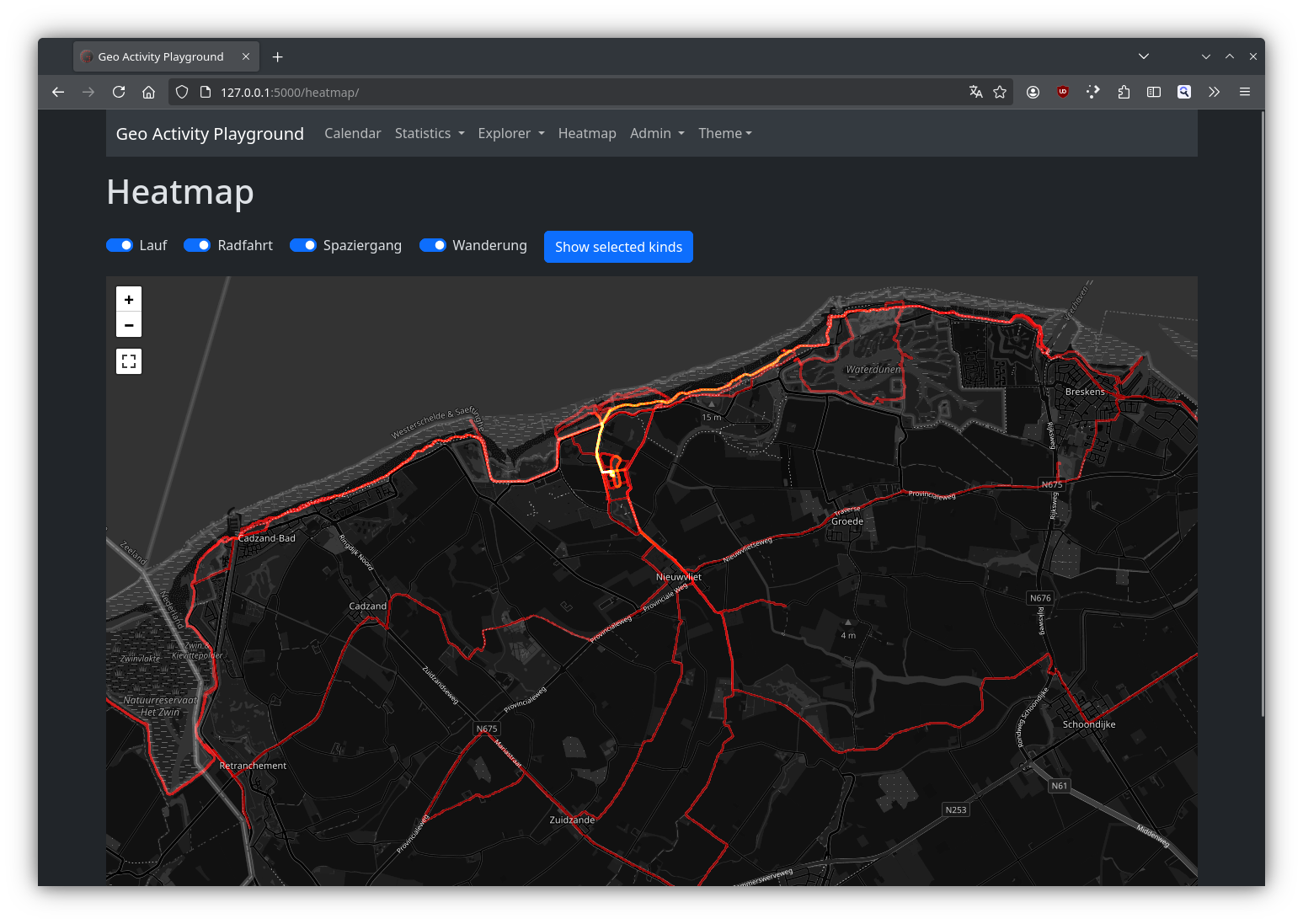
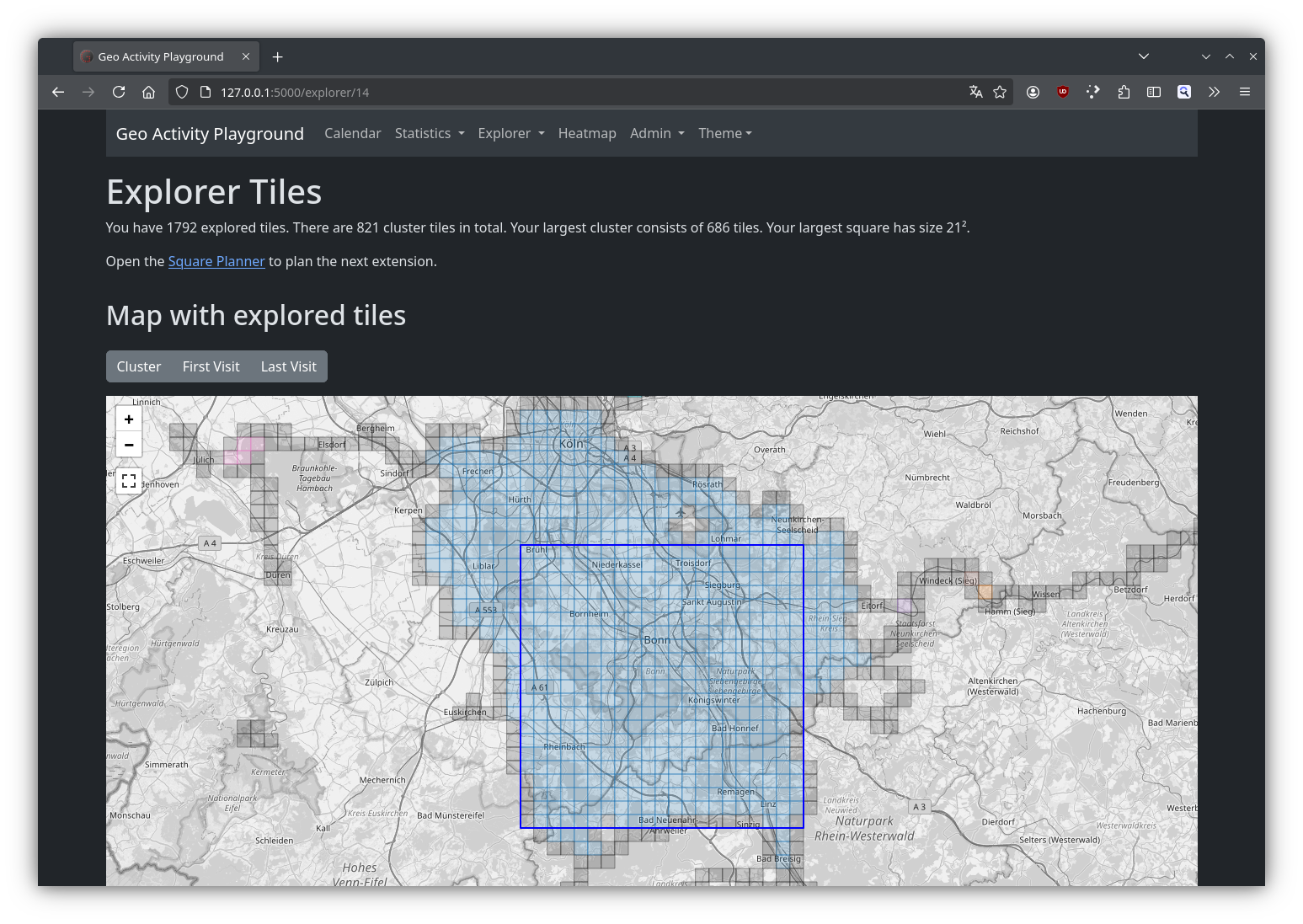
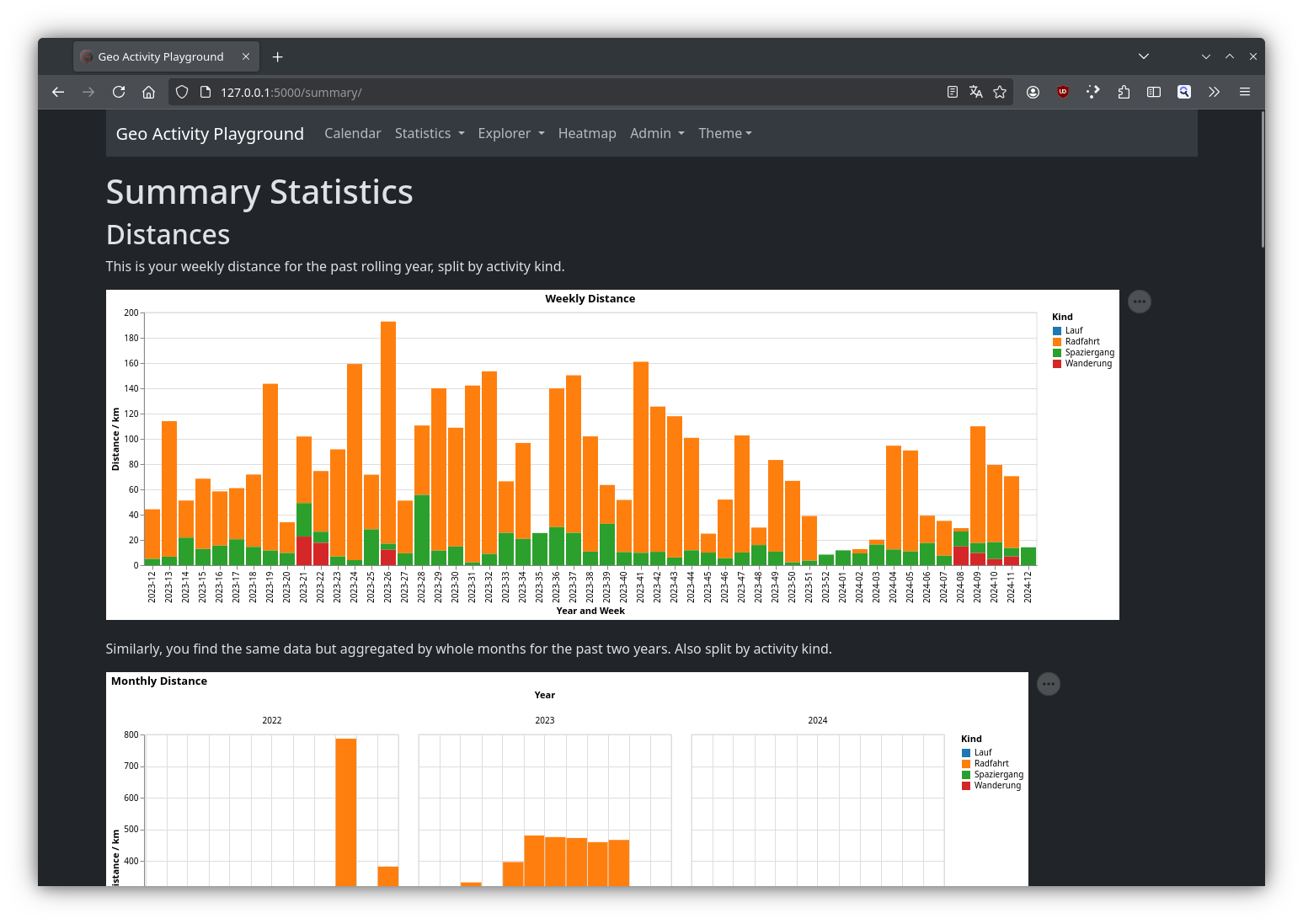


The app runs on Linux, macOS, and Windows. No cloud service required — it's just Python and a browser!
For full setup instructions and OS-specific steps, visit the documentation.