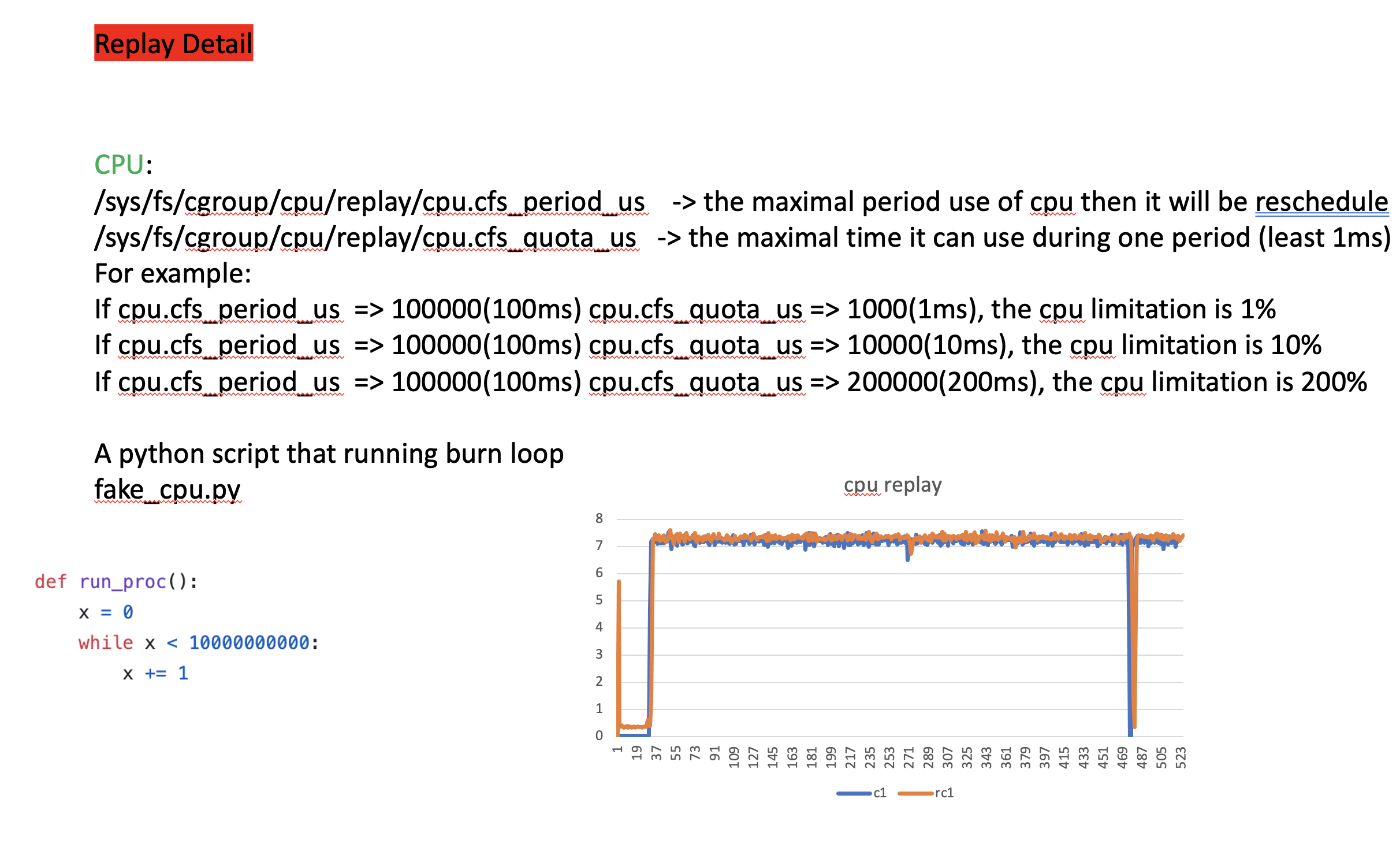
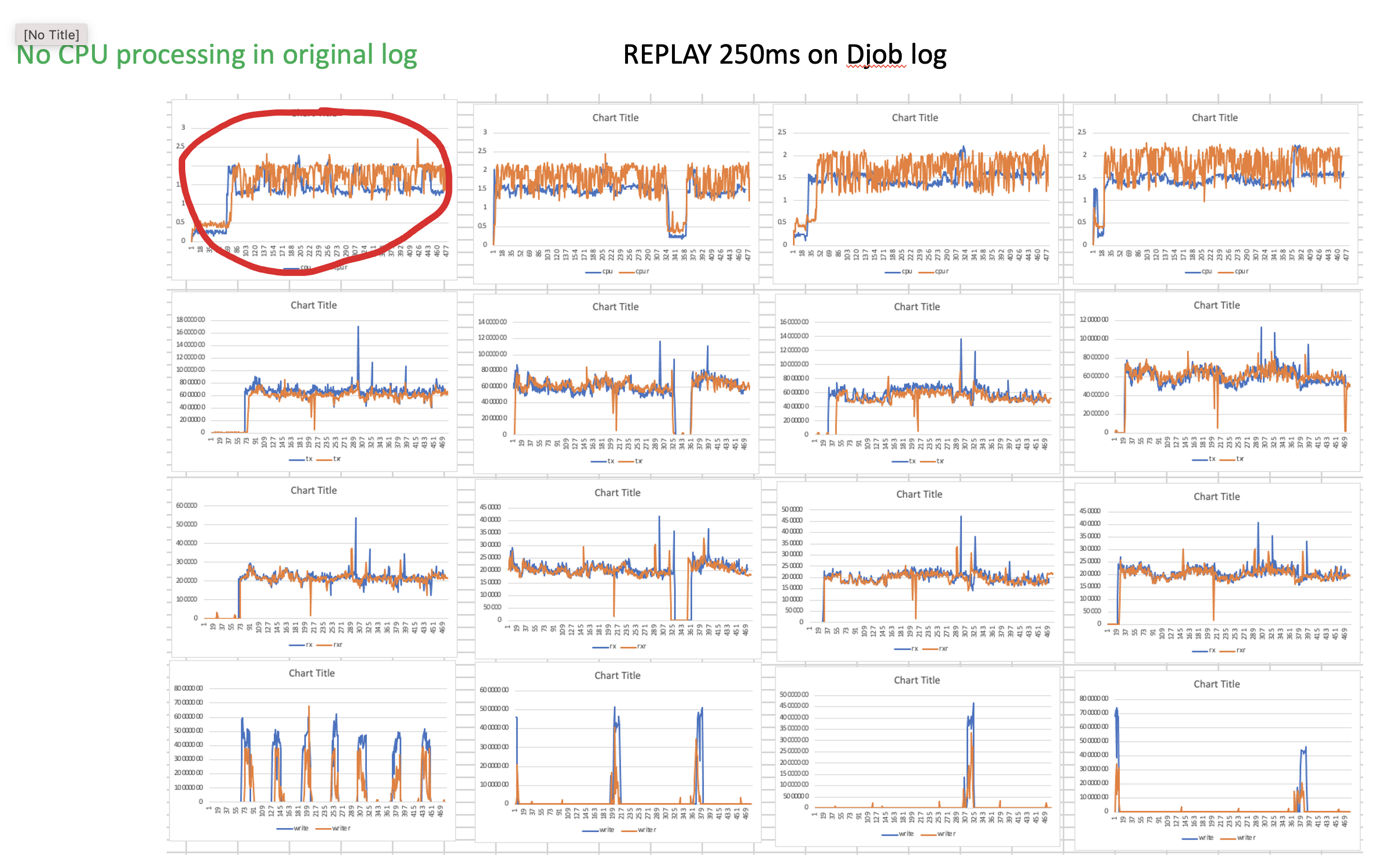
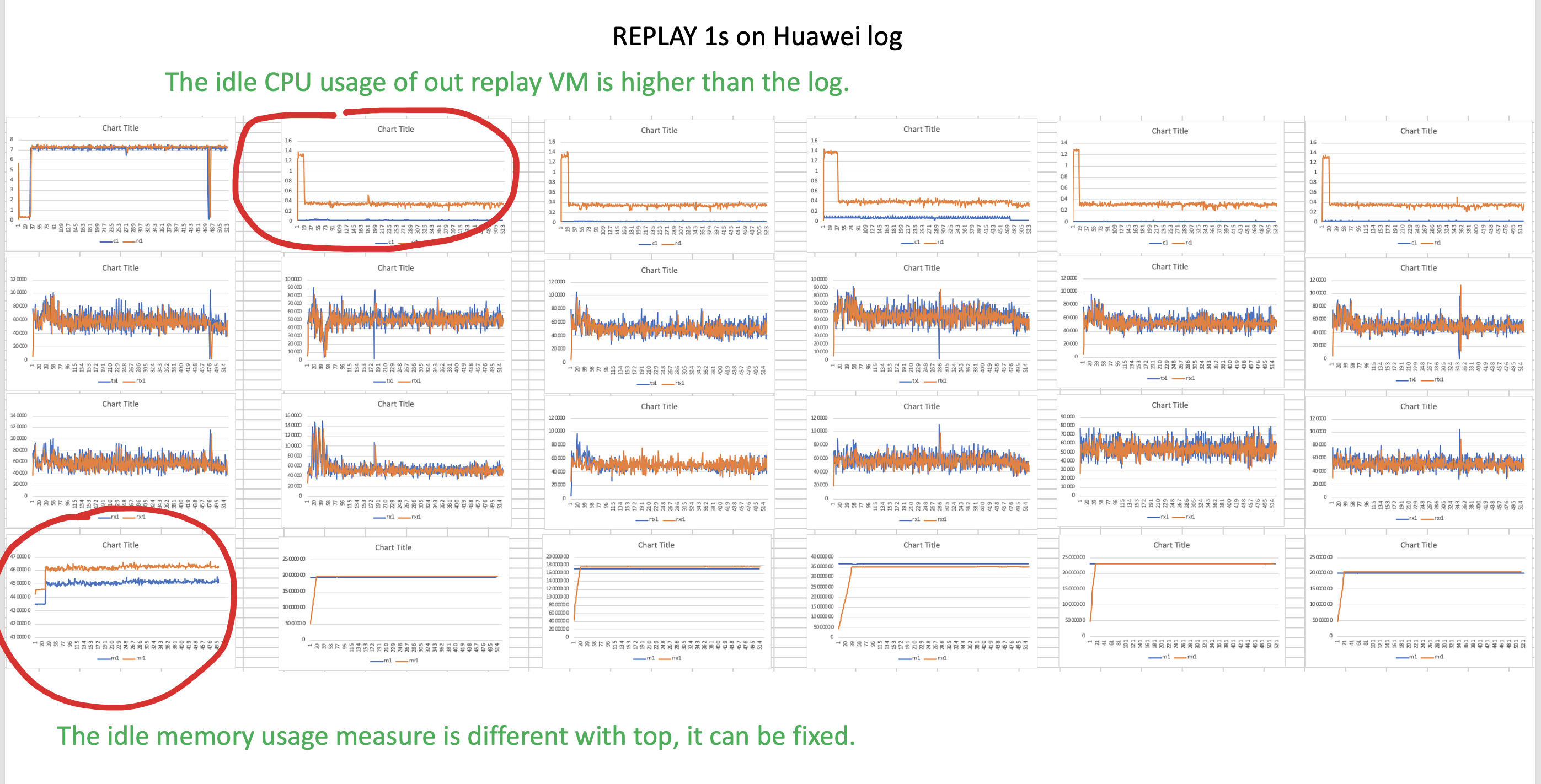
The replay tool leverages on cgroup. Please ensure the cgroup support by kernel
pre-requisites: linux cgroup support -> cpu, blkio, network_cls deb: apt-get install cgroup-tools centos: yum install libcgroup
- online all cgroups
sh cgroup_vm.sh $nic_interface #for example, sh cgroup_vm.sh ens3
- Set up for script
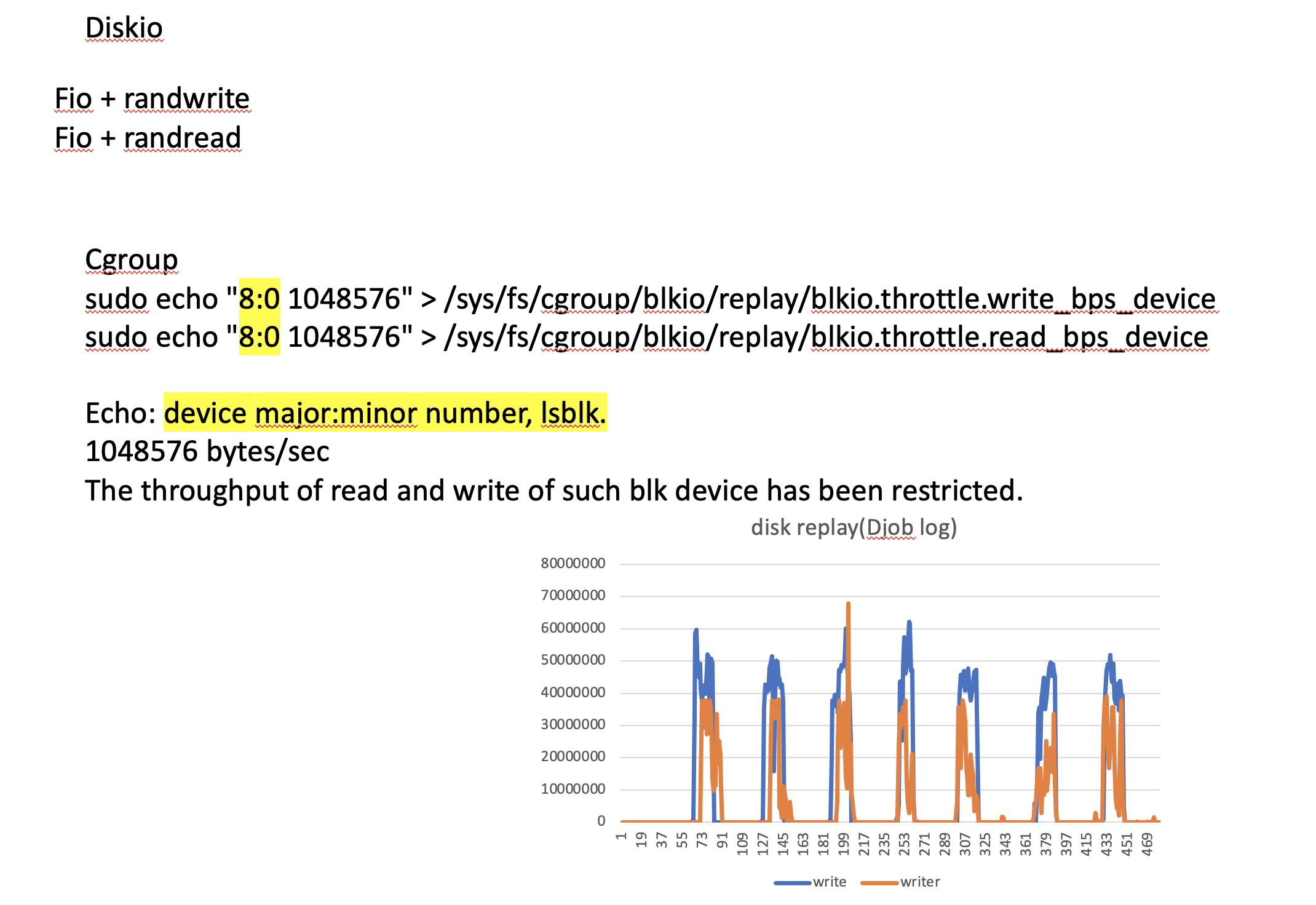
diskio we use cgroup to control, however we are using fio.
For read, fio just randread the system disk.
but for write, fio write may cause the problem, and write to a directory is not fully sufficient,
so for each VM, we have to mount a unformatted blk device.
For exaple, /dev/vda
cgroup need the major:minor number of such device for write restriction.
you can get this using lsblk. for our example case is 252:0

Please set up all the important info in script replay.py or replay_final.py

which_row_of_replay_csv=1  the machine will replay the data in which row in the log file.
measurements_time=1     the meassurement time of the original log, for example 1sec
disk_device_num="252:0"     the mounted unformatted disk device num, for example 252:0
disk_device_name="/dev/vda"     the mounted unformatted disk device name
run_time="600"              the run time of the iperf and fio, it should larger than the total running time of original log.
nic_name="ens3"             the nic name
iperf_target_ip="192.168.10.1"      target iperf server ip
iperf_target_port= "5003"           terget iperf server port
- set up the origin csv
we have three python scripts and a C program, each of them will read a csv file as input.
1. replay_final.py -> record.csv and cpu_overhead.csv
2. replay.py -> record.csv
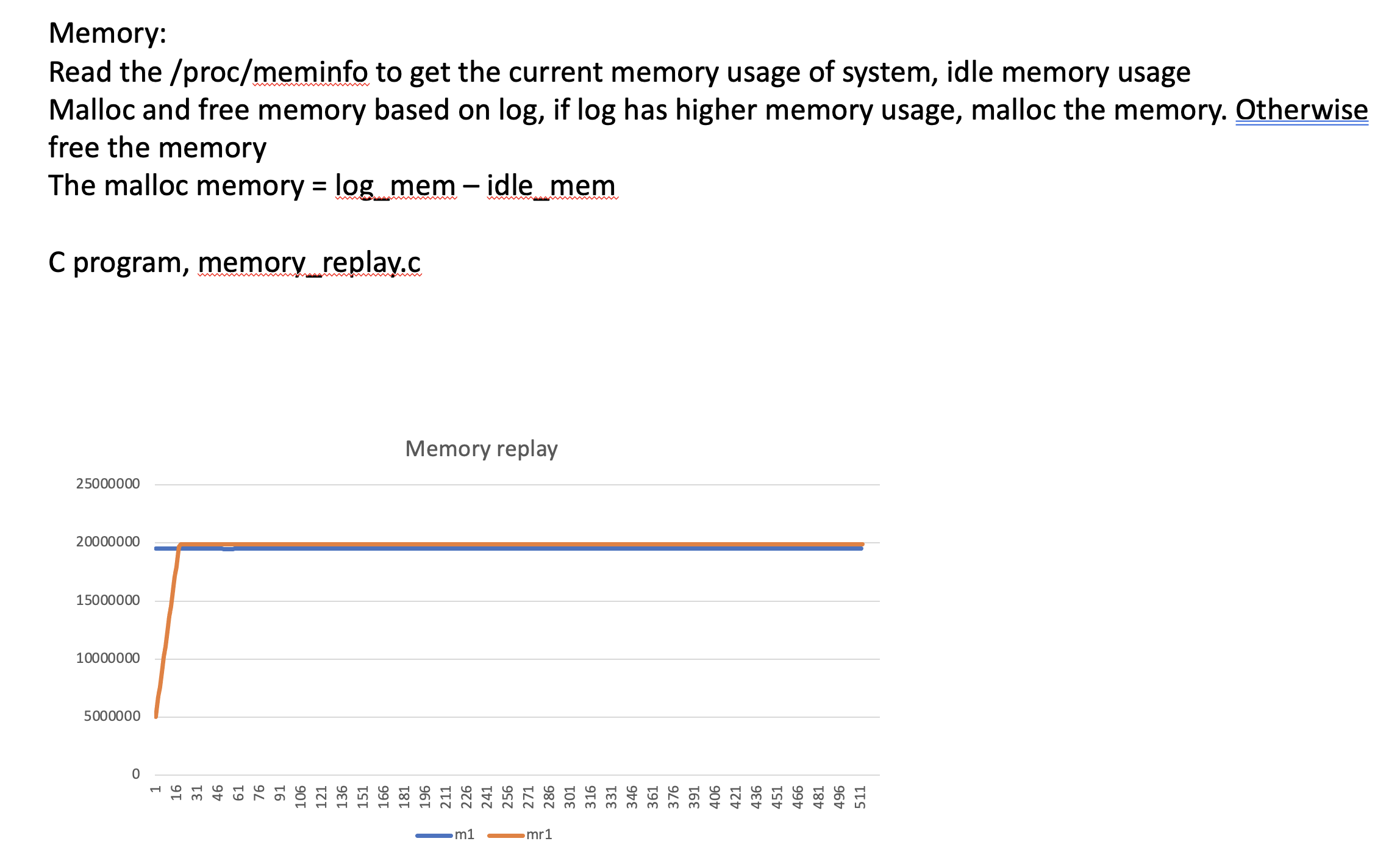
3. memory/memory_replay.c -> memory_record

for all python scripts, you have to tell which raw of virt-top output vm is the one you going to replay.
The number start with 1 instead of 0.

For example, for replay vm1, the which_row_of_replay_csv has to be 1, and which_row_of_cpu_over_head_csv has to be 1 too.

there is a helper.py to help you check which raw. helper.py will print the data of the raw you have choosen.

for C program, the a.out is the exeutable file, there is example memory_record file in memory_log/

all input files please put AT MAIN DIR where python script is running
- online different cgroup
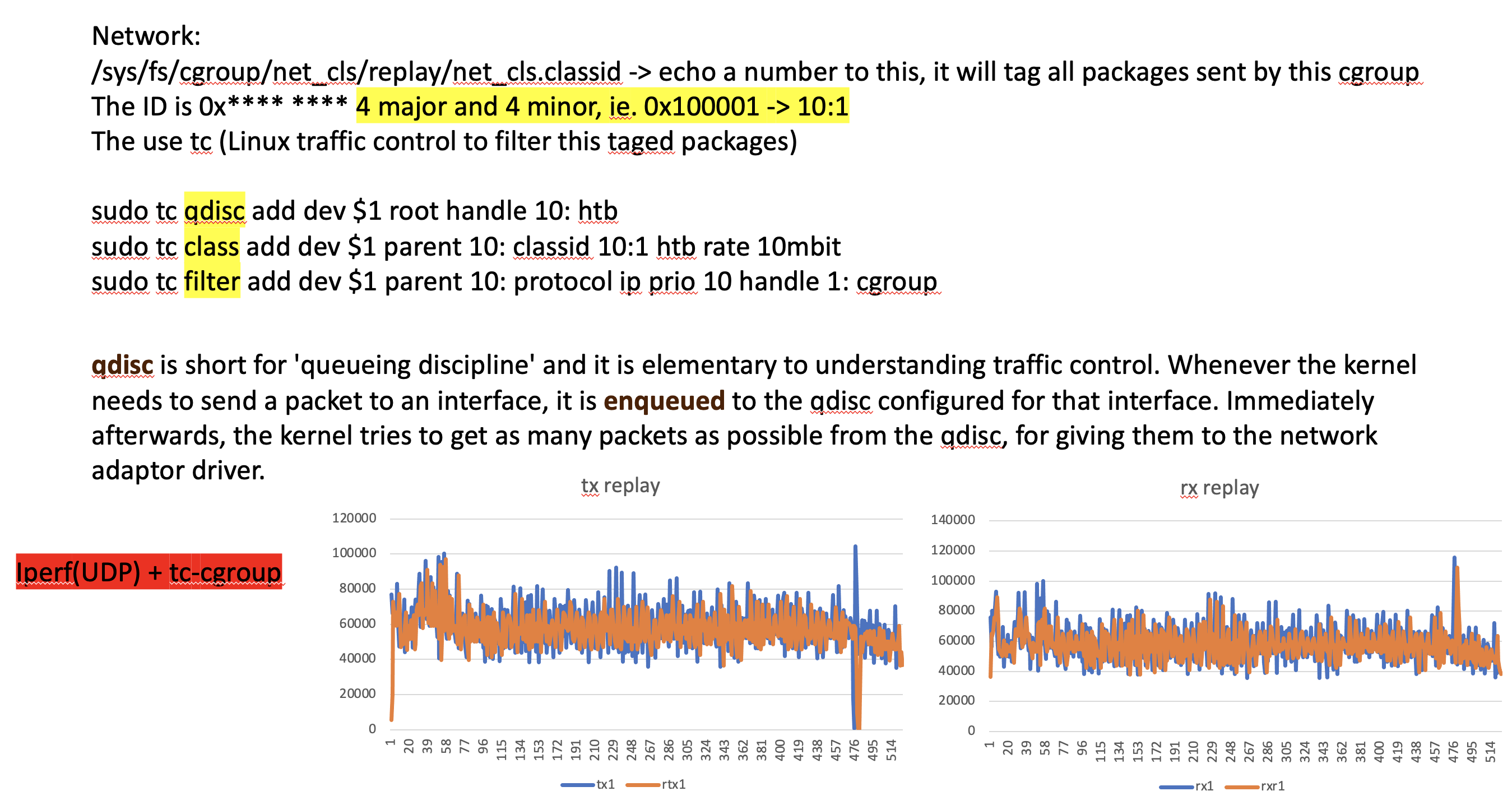
Please check rx_replay
cgroup_init.sh will init the cgroup and add traffic control to those cgroup.
The major number is fixed as 10, the minor number of tc control is decide by user
first parameter is the interface name, second parameter is the number of cgroup you need.
sh cgroup_init.sh br1 10   #which will generate 10 different cgroup
- setup config_host
config host will store the config of the replay
example:
cat ./config_host
192.168.10.80 5001 60 1
192.168.10.81 5002 61 2

the meaning of each line
    IP          PORT    MINOR   ROW
192.168.10.80   5001     60      1

which means the machine that iperf will connect to, the ip is 192.168.10.80, the iperf server port
is 5001, and this connection will be limited by traffic control and tagged as 10:60, the traffic control
limitation is based on the first ROW in replay log(rx.csv)

...
- replay easy
We can comment some lines of the replay.py to decide what we would like to replay
Becase the replay itself may introduce the overhead on CPU, we can comment on CPU replay
so the script will not replay the CPU, therefore we can record a pure replay log,
then we can use the cpu_overhead log to replay more accrately

However, if the original file cpu usage is high enough, the overhead of network, disk and mem replay can
be ignored, in such case, we can just use the replay.py directly.

please run those scripts on all machine at same time, try use boradcast command

from inside:
sudo sh python3 replay.py
outside:
sudo sh python3 host_rx.py


In the meanwhile you should start record also.

After run REMEMBER TO CLEAN THE MACHINES! USE KILL or KILLALL.
After run REMEMBER TO CLEAN THE MACHINES! USE KILL or KILLALL.
- replay accrate
The record of replay without cpu csv file should rename as cpu_overhead.csv
which has the cpu overhead of others replay.
Please also tell the raw of the vm, and remember, this time, the raw should be the vm that just run the replay without cpu
instead of the original vm that we are going to fake.
you still can use helper to check if you are not sure. The number start with 1 instead of 0!!!

REMEMBER TO CLEAN THE MACHINES! USE KILL or KILLALL.


This time, the replay cpu will minus the replay overhead first then replay.
Then inside:
Please checkout host_rx.py and also change the IP address of the guest vm that going to replay.

sudo sh python3 replay_final.py
outside:
sudo sh python3 host_rx.py
In the meanwhile you should start record.